

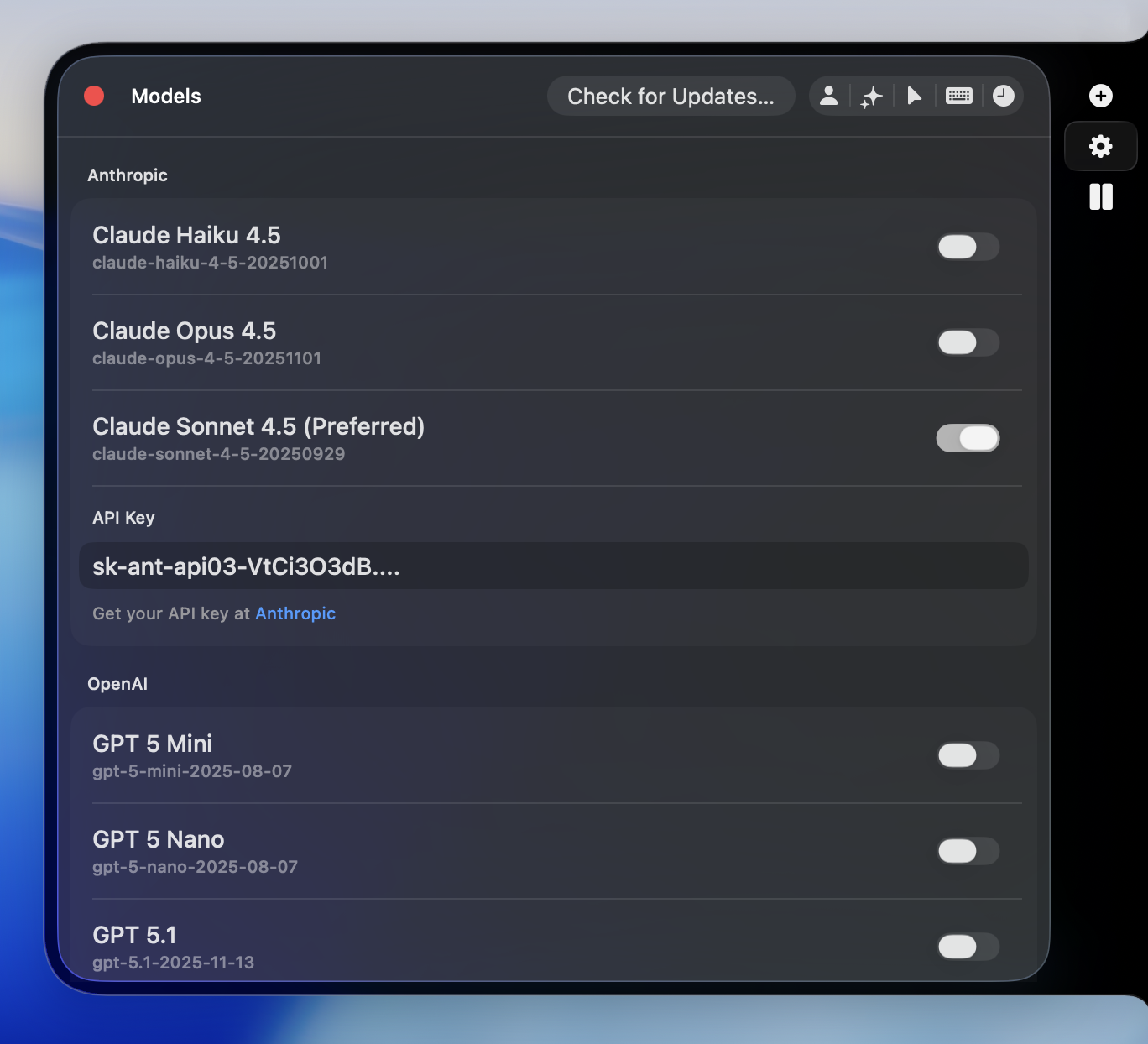
Connect to powerful large language models using your own API keys — giving you full control, privacy, and flexibility. AI Thing never sends data to any model provider unless you choose to connect your own key.
BYOK: Bring Your Own Key
You choose the model. You bring the API key. You stay in control.AI Thing does not charge for usage — you pay only your provider, directly. AI Thing now supports Anthropic Claude, OpenAI GPT-5, and Google Gemini 2.5 / 3, plus more coming soon.
Supported Models
Anthropic Claude (4.5 series)
- claude-haiku — Fast and cost-effective
- claude-sonnet — Balanced
- claude-opus — High intelligence
OpenAI GPT-5 Series
- gpt-5-nano — Lightweight, cheap
- gpt-5-mini — Fast and capable
- gpt-5.1 — Advanced reasoning and long-context
Google Gemini
- gemini-2.5-flash — Extremely fast, low-cost
- gemini-2.5-pro — Strong all-purpose reasoning
- gemini-3-pro — Next-generation performance
How to Connect
- Get an API key from your chosen provider
- Paste the key into the corresponding field inside Settings → Models
- Select the default model you want AI Thing to use
- Anthropic:
sk-ant-... - OpenAI:
sk-... - Google:
AIza...
Add Your Own Models
The open-source version of AI Thing includes aModels.plist file inside the project.You can add custom models by editing this file:
- Add a model ID, display name, and provider type
- Save the file and rebuild or relaunch
- Your model will appear in Settings → Models and can be used immediately
Model Settings
Fine-tune how each model behaves in Settings → Preferences: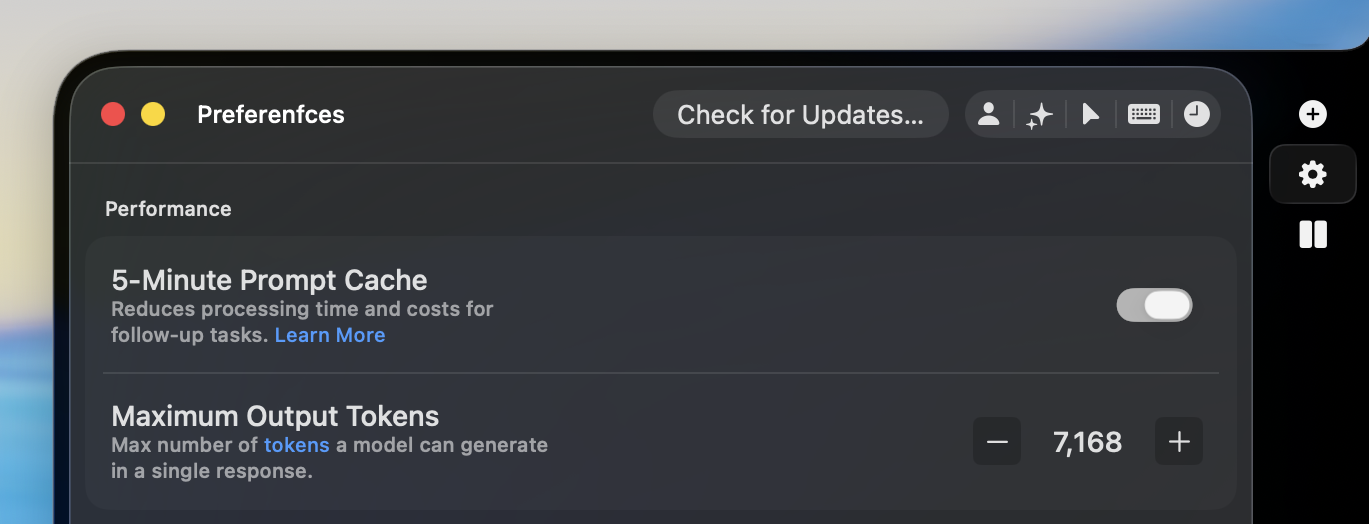
Prompt Cache
Reuses common parts of a prompt to speed up responses and reduce cost during long or multi-turn conversations.Best used when you’re working in the same thread for a while.
Learn more
Output Tokens
Set the maximum possible response length — helpful for keeping outputs concise or allowing long explanations.Have questions? Email us at help@aithing.dev.