> ## Documentation Index
> Fetch the complete documentation index at: https://aithing.dev/llms.txt
> Use this file to discover all available pages before exploring further.
# Secure Files
> Use files with AI without uploading them to any server
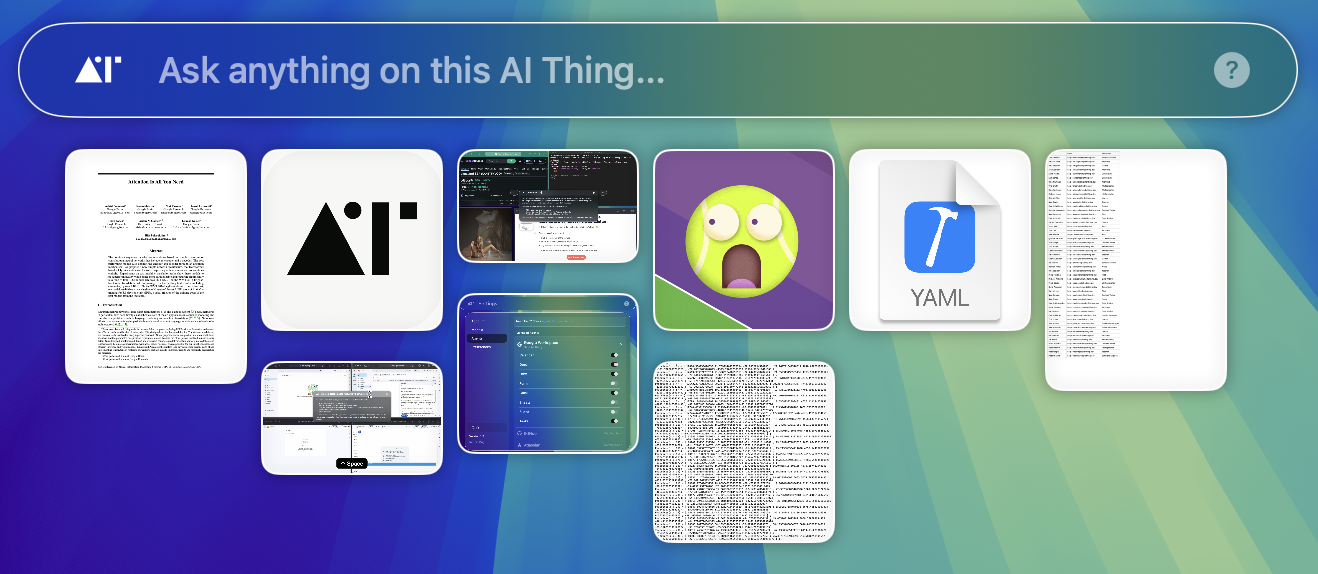
With Secure Files, you can add multiple files and use them to ask questions or perform complex tasks — all while keeping your data private.
* **Unlimited files** — add as many files as you want, with no count restrictions.
* **Multiple files** — query and reason across several files at once.
## How It Works
* Files are **never uploaded to any server**.
* Instead, they are **encoded into a string** and used only in the current browser tab.
* Once the tab is closed, the encoded strings are no longer accessible.
This ensures your files stay private while still letting AI process them effectively.
## Privacy
* **No persistence** — your files are never stored on our server. They are encoded as strings and sent directly to the LLM for processing.
* **In-tab only** — everything happens securely within your current session. If you switch or close the tab, the files are no longer accessible.
***
Have questions? Email us at [help@aithing.dev](mailto:help@aithing.dev).
 With Secure Files, you can add multiple files and use them to ask questions or perform complex tasks — all while keeping your data private.
* **Unlimited files** — add as many files as you want, with no count restrictions.
* **Multiple files** — query and reason across several files at once.
## How It Works
* Files are **never uploaded to any server**.
* Instead, they are **encoded into a string** and used only in the current browser tab.
* Once the tab is closed, the encoded strings are no longer accessible.
This ensures your files stay private while still letting AI process them effectively.
## Privacy
* **No persistence** — your files are never stored on our server. They are encoded as strings and sent directly to the LLM for processing.
* **In-tab only** — everything happens securely within your current session. If you switch or close the tab, the files are no longer accessible.
***
Have questions? Email us at [help@aithing.dev](mailto:help@aithing.dev).
With Secure Files, you can add multiple files and use them to ask questions or perform complex tasks — all while keeping your data private.
* **Unlimited files** — add as many files as you want, with no count restrictions.
* **Multiple files** — query and reason across several files at once.
## How It Works
* Files are **never uploaded to any server**.
* Instead, they are **encoded into a string** and used only in the current browser tab.
* Once the tab is closed, the encoded strings are no longer accessible.
This ensures your files stay private while still letting AI process them effectively.
## Privacy
* **No persistence** — your files are never stored on our server. They are encoded as strings and sent directly to the LLM for processing.
* **In-tab only** — everything happens securely within your current session. If you switch or close the tab, the files are no longer accessible.
***
Have questions? Email us at [help@aithing.dev](mailto:help@aithing.dev).